If you do not check in on time, someone you trust is told.
Start a check-in before something you would rather not do unwatched. Confirm you are OK before the timer runs out and nobody is bothered. Stay silent, and the person you chose is told, along with your reason and where you were last.
CheckUpOnMe is not in the stores yet. To hear when it is, write to us: hello@checkuponme.app
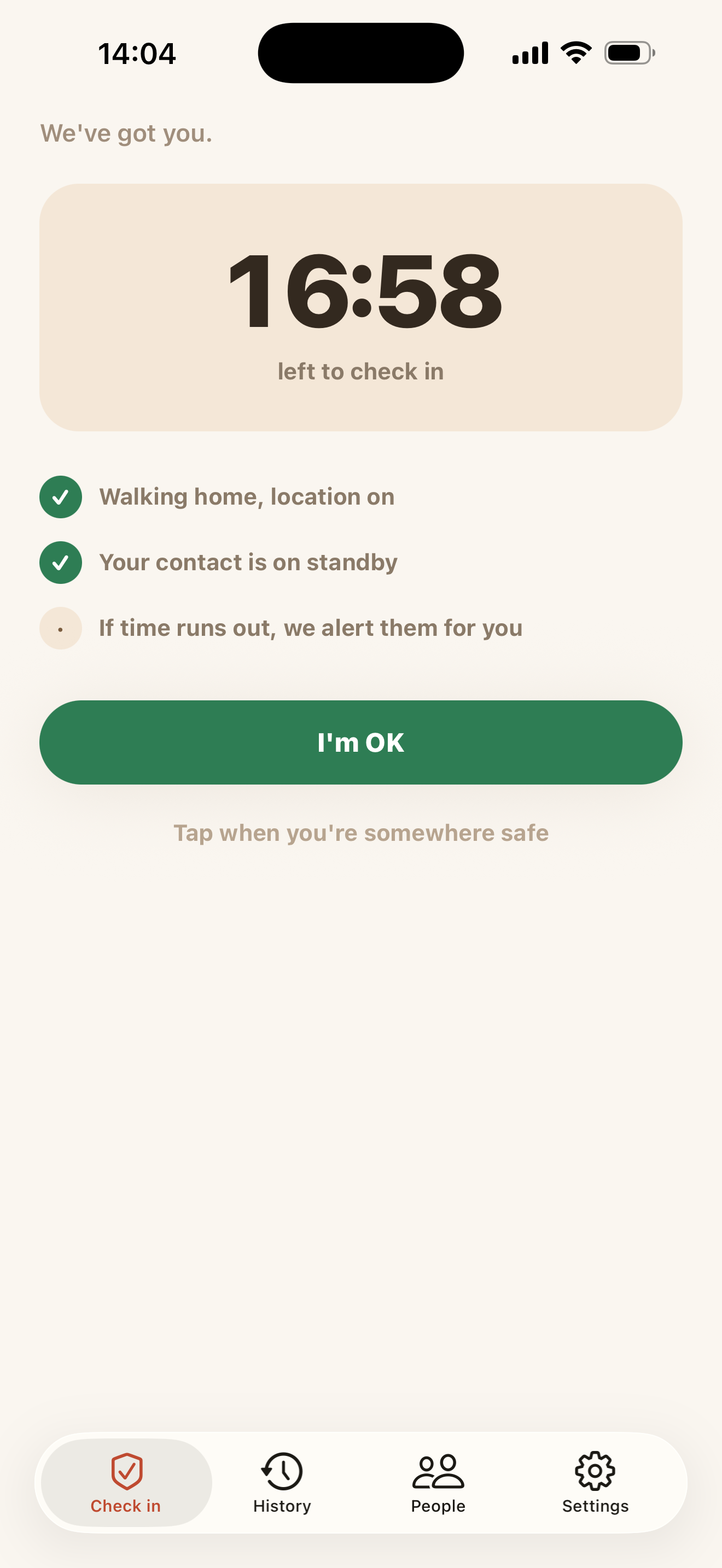
How it works
Three taps before you go. One tap when you are back.
Set a timer before you go.
Choose how long you expect to be, and which of your people is told if that time runs out. You can add a short reason, and you can share your location for this one check-in.
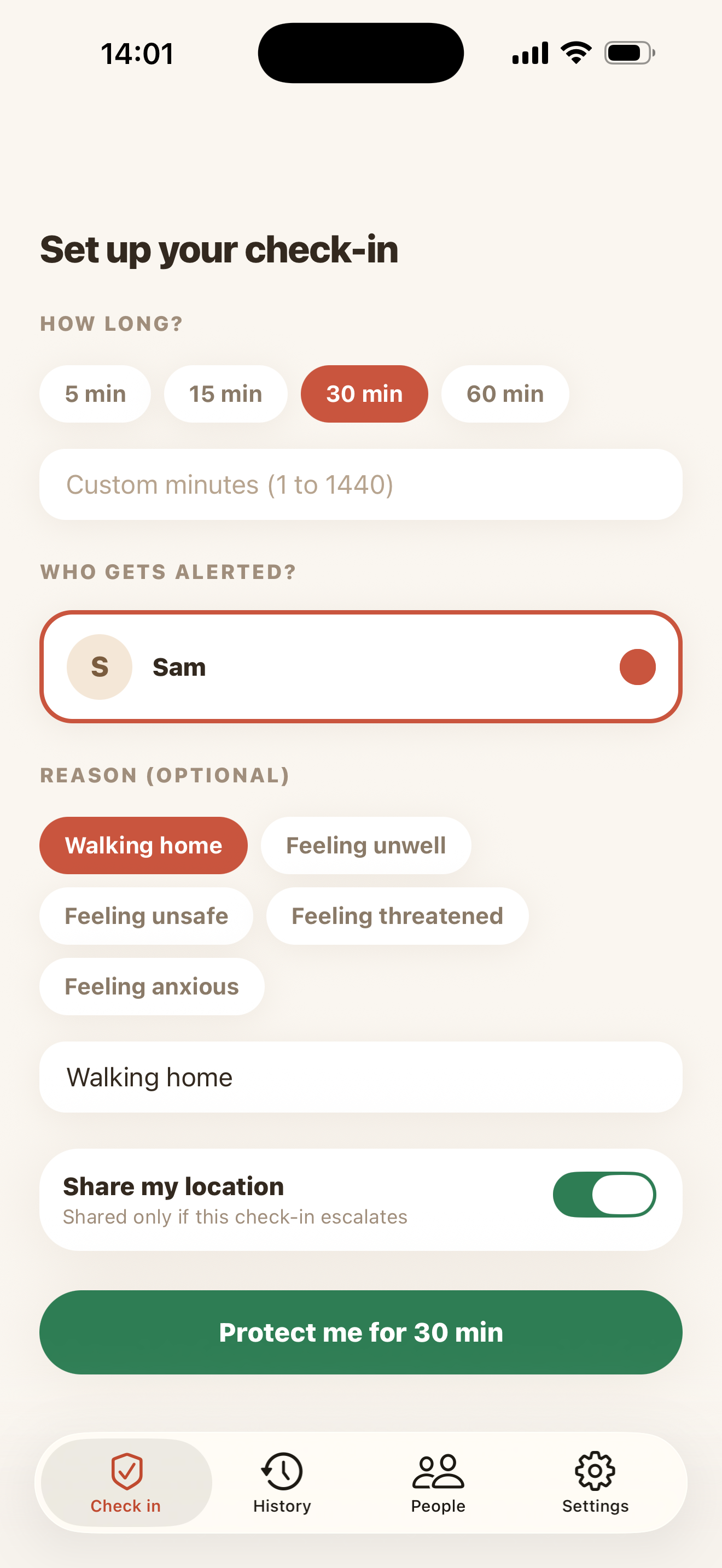
Pick how long, and who to tell if it runs out. Confirm you are OK before it runs out.
Your phone asks you at the deadline, and there is a grace window after it for the times you are simply late. One tap ends the check-in, and nobody is told it ever happened.
One tap ends it, and nobody hears anything. If you say nothing, your contact hears about it.
The alert does not come from your phone, so a dead phone cannot stop it. Your contact opens the app and finds your reason and, if you shared it, where you were last. They can tell you they have seen it.
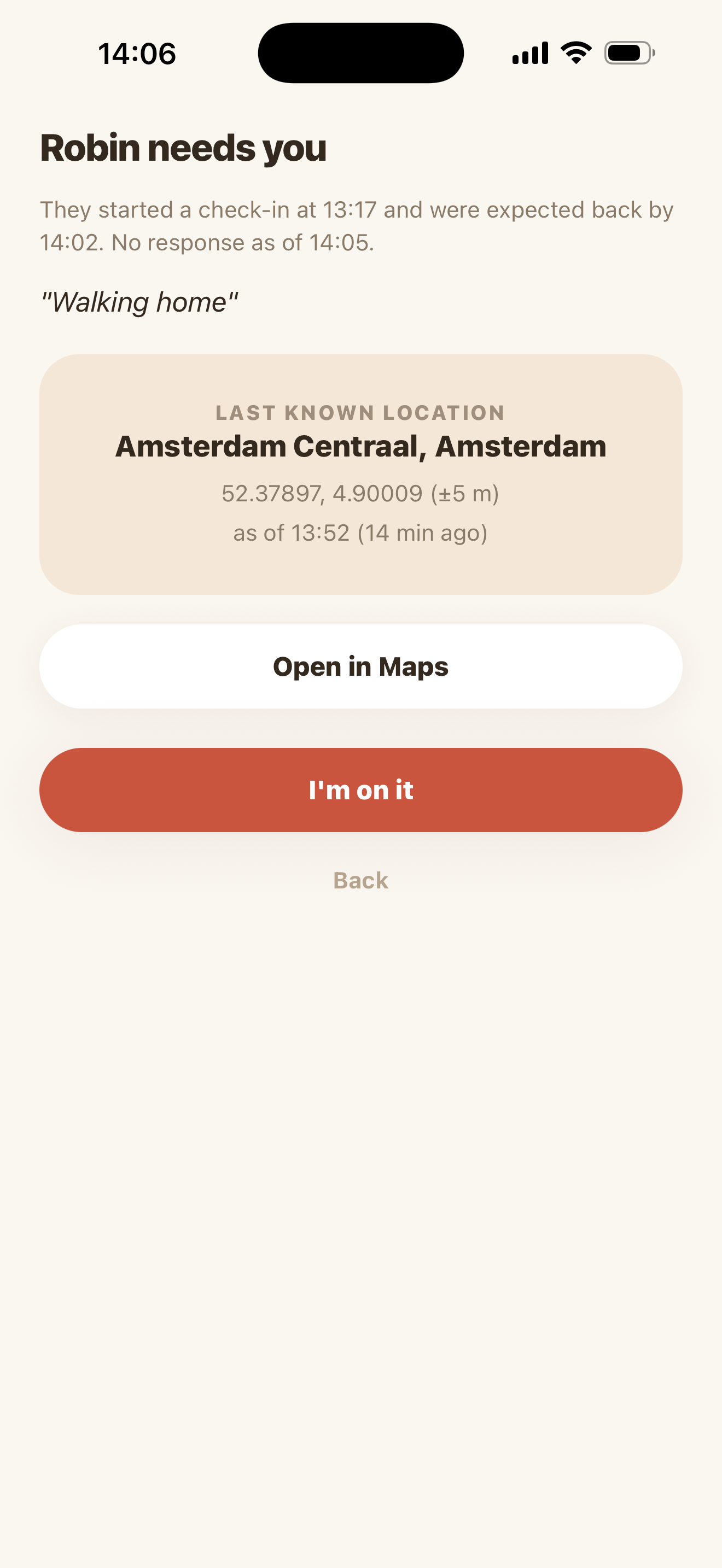
What your contact sees if the timer runs out.
The guarantee
It works when your phone does not
The countdown does not live on your phone. When you start a check-in, we write down the time you are due back. From then on your phone has one job, and it is to tell us you are OK before that time.
A flat battery changes nothing
No signal, a phone that is lost, stolen or broken: none of it stops the alert. Silence is what sets it off.
Not an alarm you set yourself
An alarm needs your phone awake and in one piece to go off. This one goes off because your phone went quiet.
Never behind a paywall
Whatever we may charge for later, it will never be the alert itself, and no check-in goes quiet because a payment did not go through.
What it knows about you
The app is not a tracker
There is no version of it running quietly in the background to see where you go.
Per check-in
Location is a switch, not a setting
It is read while that check-in is running and at no other time.
48 hours
Then your locations are deleted
Counted from the moment a check-in ends, however it ended.
Latest only
Never the route you took
Your position reaches your contact if a check-in escalates, and then only the last one we have.
Nothing in it
The alert itself carries no detail
It is a knock at the door. The reason and the location are inside the app, where we can tell who is asking.
The EU
Everything is stored in the European Union
Whoever you are and wherever you are.
If somebody asked you
Someone asked me to be their contact
Then somebody trusts you, and they are asking you to be the person who is told when they do not come back on time. Accepting pairs the two of you both ways, so you can lean on them in the same way.
If you have been alerted, it means that person started a check-in and then did not confirm they were OK. It does not mean anything is known to have happened to them. Open the app to read the reason they wrote and, if they shared it, where they were last. You can let them know you have seen it.
What is asked of you is judgement, not heroics. You know this person and we do not. Ring them, go round, or decide it can wait a few minutes.
Where the job ends
What CheckUpOnMe is not
This is a small app with a narrow job. It is worth being plain about where that job ends, because the gaps are the sort a person would rather learn about here than on the night.
- It is not an emergency service, and it does not contact the emergency services for you. Nothing here reaches the authorities. If somebody is in danger, call for help yourself.
- Alerts are push notifications only. There is no text message and no mail in this version.
- A contact whose phone is off, or who has not turned notifications on, may not get the alert until they open the app.
- Whether a check-in is overdue is worked out once a minute, so the timing is approximate rather than to the second.
- The free version alerts one contact for each check-in.